
Welcome to EnsuraGuard™
Learn How it Works
What's Included
- Robust Accident Plan120+ covered incidents with multiple plan options
- 24/7 Amaze™ Virtual Concierge MedicineUnlimited access to medical practitioners
- $0 Copays for 1,100+ MedicationsAcute and chronic medications included
- Patient Navigation & AdvocacySupport for complex care coordination
- Tax-Efficient SetupSection 125 plan reduces payroll taxes
- Minimal RegistrationSimple setup, easy App, maximum impact

$0 Prescription Medications
Set Up Your EnsuraGuard™ Account
Download the App


Want to see what your check might look like?
FAQ
EnsuraGuard™ is a supplemental Section 125 pre-tax Cafeteria plan.
The benefits included in the EnsuraGuard™ Plan include:
- Accident coverage with 120+ covered incidents
- Amaze™ Virtual Concierge Medicine providing virtual primary care, virtual mental health (in real-time during crisis and routine scheduled sessions), virtual ER/Urgent Care, Patient Navigation, Bill Reconciliation, and many other services
- The accident plan pays you if you have an accident, plus other routine medical services
- $0 copay for all of Amaze’s services and $0 copay for more than 1,100 prescription drugs when using Rx Valet’s
Because your EnsuraGuard™ plan is paid through your employer's Section 125 cafeteria plan, your company can deduct the plan premium from your paycheck before taxes, which may lower the taxes taken from your pay. By participating, you'll receive a weekly Accident Prevention Module (APM) focused on accident and disease prevention. As a courtesy, Ensura also gives you complimentary subscriptions to Amaze™ (telehealth) and Rx Valet (prescription savings). These are separate third-party services, not insurance or Plan benefits, and you don't need to use them to receive your Accident Benefits. The great news is that when you're in the EnsuraGuard™ plan, receiving each APM is a covered event under the Accident plan and automatically triggers a claim payment, backed by A-rated reinsurance. This is a benefit payment, not a reimbursement. Amounts you use for qualified medical expenses (Code § 213(d)) that aren't otherwise reimbursed are generally not taxable, and any amount beyond that may be. Ensura is not a tax advisor, so please direct tax questions to your own licensed tax professional.
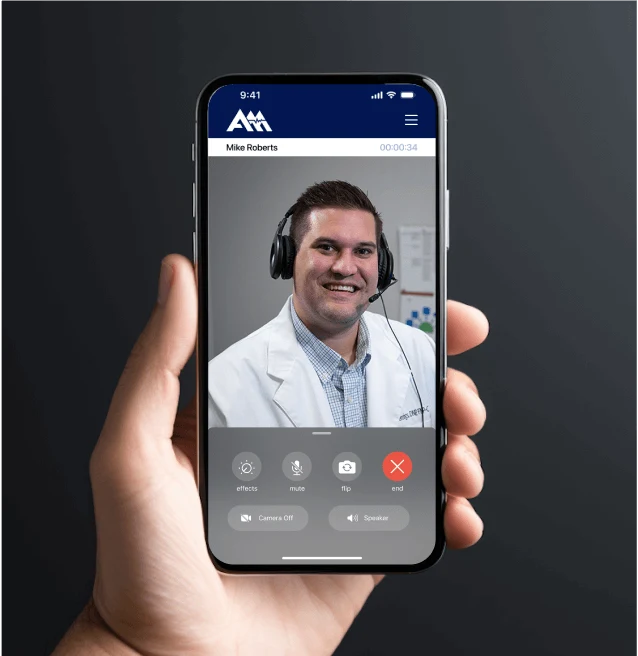
Amaze™ is your healthcare partner – your first call in most situations. Amaze™ offers:
- Virtual urgent and primary care
- Mental health support
- Chronic condition management, prescription management
- Insurance, referral and billing support
If you are eligible for EnsuraGuard™, then you are automatically enrolled. You only need to take action if, for some reason, you want to opt out. You can opt out by phone by calling (866) 826-2934 or you can email account.admin@amazehealth.com during your open enrollment.
After the open enrollment period, you will see some additional line items on your paycheck. Even though you will see deductions for the plan, your new take home pay will be higher and will not decrease due to the tax efficiencies of the plan, even though you will be enjoying the benefits of the EnsuraGuard™ Plan.
Your eligibility depends on your income, hours worked, and tax deductions, and it’s determined every payroll cycle. If your hours or income drop, there might be weeks when you’re not eligible for the accident coverage benefit. During those times, your paycheck will stay the same, and you’ll still have access to Amaze Health. Once your hours and income go back up, you’ll automatically be re-enrolled and receive all the program benefits, including the paycheck boost.
All you need to do to get started is to download the Amaze Health app from your Apple or Android app store and set up your Amaze™ account. You will receive an email with your username and password and the simple set-up instructions. There is also account set-up information in the EnsuraGuard™ ebook. If you need help, you can email account.admin@amazehealth.com or call Amaze at (866) 826-2934.
You can access all your EnsuraGuard™ benefits through your Amaze™ account.
You can opt out of the EnsuraGuard™ plan by completing the opt out form.
We’re here to support you.
Or email account.admin@amazehealth.com — Ensura is here to help.